

At a glance
In accounting, purchasing, order processing or claims handling, one process determines speed and cost: incoming documents.
And in many companies, this process is still surprisingly analog.
Invoices arrive by email, by post and as scans. 96% of German companies receive invoices by email, 93% also by post.[1] Someone opens, reads, retypes, checks and forwards them. Document by document.
Most of this is routine. Yet only one in four German companies automatically recognizes incoming documents.[2]
With the schnell.digital AI Kit, the AI platform for mid-sized businesses, you automatically read invoices, delivery notes, forms and claims notifications, check them against your rules and pass them on to your systems.
Data reaches the right place within minutes, discrepancies stand out immediately, and your team gets time back for what really matters:
Clarifying, deciding, negotiating. The work you hired your team for.
Sound familiar?
Monday morning, half past eight. More than a hundred new emails are waiting in the accounting inbox. Invoices as PDFs, a scanned delivery note, a credit note, two payment reminders. Plus a pile of letters on the desk.
And you already know: until lunchtime, you'll be busy retyping invoice numbers, amounts and purchase order numbers. One after another.
Meanwhile, purchasing calls because a supplier is asking about their payment. The invoice has been stuck somewhere in approval for ten days. And the early payment discount? It expired yesterday.
Sooner or later, every team asks the same question: why are we retyping data that is already in the document?
Document processing rarely fails because of the document. It fails because of the process behind it.
In many companies, incoming documents are handled more or less like this: open the mailbox. Open the attachment. Look up the supplier. Retype the data. Match it against the purchase order. Forward it for approval. Follow up. File it ... Every media break costs time, and every manual transfer is a chance for a transposed digit.
And the next day? The next pile arrives. No wonder it takes an average of 8.2 days to process an incoming invoice.[3] The most efficient companies manage it in 2.9 days.
Routine that eats up time and invites errors. Routine that costs money because deadlines pass. And routine that ties your most experienced people to tasks nobody enjoys. Because while your team is retyping, clarifications, supplier questions and month-end closings pile up.
Only one in four German companies automatically recognizes incoming documents.[2]
It costs more than time. Missed discount deadlines, dunning fees and invoices entered twice go straight to your bottom line. At the same time, pressure on the team grows: a few days of holiday or sick leave are enough for incoming documents to back up.
Experienced colleagues in accounting and case handling should be clarifying discrepancies, talking to suppliers and preparing closings. And not retyping an invoice number for the hundredth time.
That's why capturing every document by hand hardly pays off anymore. Why would it, when an AI model can read invoices, delivery notes and forms, check them against your rules and only show your team what needs a decision?
That's exactly what this is about. That's exactly why we built the schnell.digital AI Kit.
Days until posting
Open, retype, match, approve: every incoming invoice goes through the same steps, for 8.2 days on average.[3]
Almost one in five invoices is an exception
Missing purchase order number, deviating amount, wrong recipient: 18.4% of invoices have to be clarified by hand.[3]
Lots of paper every day
At 58% of German companies, at least half of office and admin processes still run on paper.[2]
Many companies try it like this:
- –A central address for invoices, whose inbox someone then works through by hand after all
- –Text recognition with fixed templates that has to be adjusted for every new supplier layout
- –Excel lists that keep track of incoming documents, approvals and deadlines
Others rely on isolated tools: one for invoices, one for contracts, one for forms. Each speeds up one step, but the actual problem remains:
The knowledge of what should happen to a document lives in people's heads, checklists and email threads.
And that is the fundamental problem with incoming documents.
As long as someone has to read, understand and classify every document, the process stays slow. No matter how many tools you add.
What if:
- every document is automatically read and classified on arrival
- details such as supplier, amounts and purchase order number are available as structured data
- discrepancies stand out immediately and reach the right person with all the information
Because the key insight is often this:
The information is already in the document. We're just extracting it by hand. Excel is not a system, copy-paste is not a process.
What's missing is a process that reads, checks and passes on documents and only involves your team when it really matters.
Just imagine ...
There was someone who reads every incoming invoice, delivery note and claims notification before your team has finished its first coffee?
Someone who matches amounts against the purchase order, notices missing details and keeps an eye on deadlines?
And someone who only shows you what needs a decision, with all the information at a glance?
Someone like the schnell.digital AI Kit, working in the background.
That's exactly what this is about.
That's exactly why we built the schnell.digital AI Kit.
schnell.digital AI Kit in document processing
Your results after just a few weeks
With the schnell.digital AI Kit, your incoming documents change noticeably:
Documents are captured in minutes
Invoices, delivery notes and forms are automatically read and classified on arrival. The data reaches the right place within minutes, even on days with a full inbox.
Your team takes care of the exceptions
Matching and checks run automatically. Your employees only handle the cases that need a decision. This reduces transposed digits and pressure on the team.
Deadlines and discounts under control
Because invoices move through faster, discount deadlines stay within reach and suppliers get paid on time. This saves hard cash and strengthens your position in the next negotiation.
In short:
- – documents are automatically read and classified
- – your team is noticeably relieved
- – discrepancies stand out immediately
- – cycle times drop, discounts stay within reach
And above all:
Incoming documents are no longer a bottleneck. They simply flow.
The schnell.digital AI Kit takes work off your hands where incoming documents cost the most time.
How the schnell.digital AI Kit steps in
Our AI workflow automation automatically reads incoming documents, recognizes the document type and extracts the relevant details as structured data.
Your team no longer captures documents by hand. It reviews prepared data, discrepancies and clear decision proposals.
This is based on information you already have in your company:
- purchase orders and supplier master data
- approval rules and responsibilities
- account assignment and checking guidelines
- the experience of your accounting team and case handlers
The schnell.digital AI Kit uses this information to classify and check every document.
Documents are captured, matched and passed on faster, without retyping, searching or follow-up questions.
At the same time, typical processes can be clearly defined:
How is each document type handled?
Which details are checked?
When does a case move on automatically, and when does a person decide?
You describe all of this in plain language, without programming.
Your result:
Far less retyping. Fewer clarifications noticed too late. And incoming documents that keep flowing even on busy days.
Pilot in 6 to 8 weeks. No tool chaos. No large IT project.
How a pile of documents becomes a clearly structured process
01
Analysis of your incoming documents
Together, we look at which documents you receive, which details you need and which rules apply to checks. From this, we describe the process in the schnell.digital AI Kit.
02
Setting up the workflow
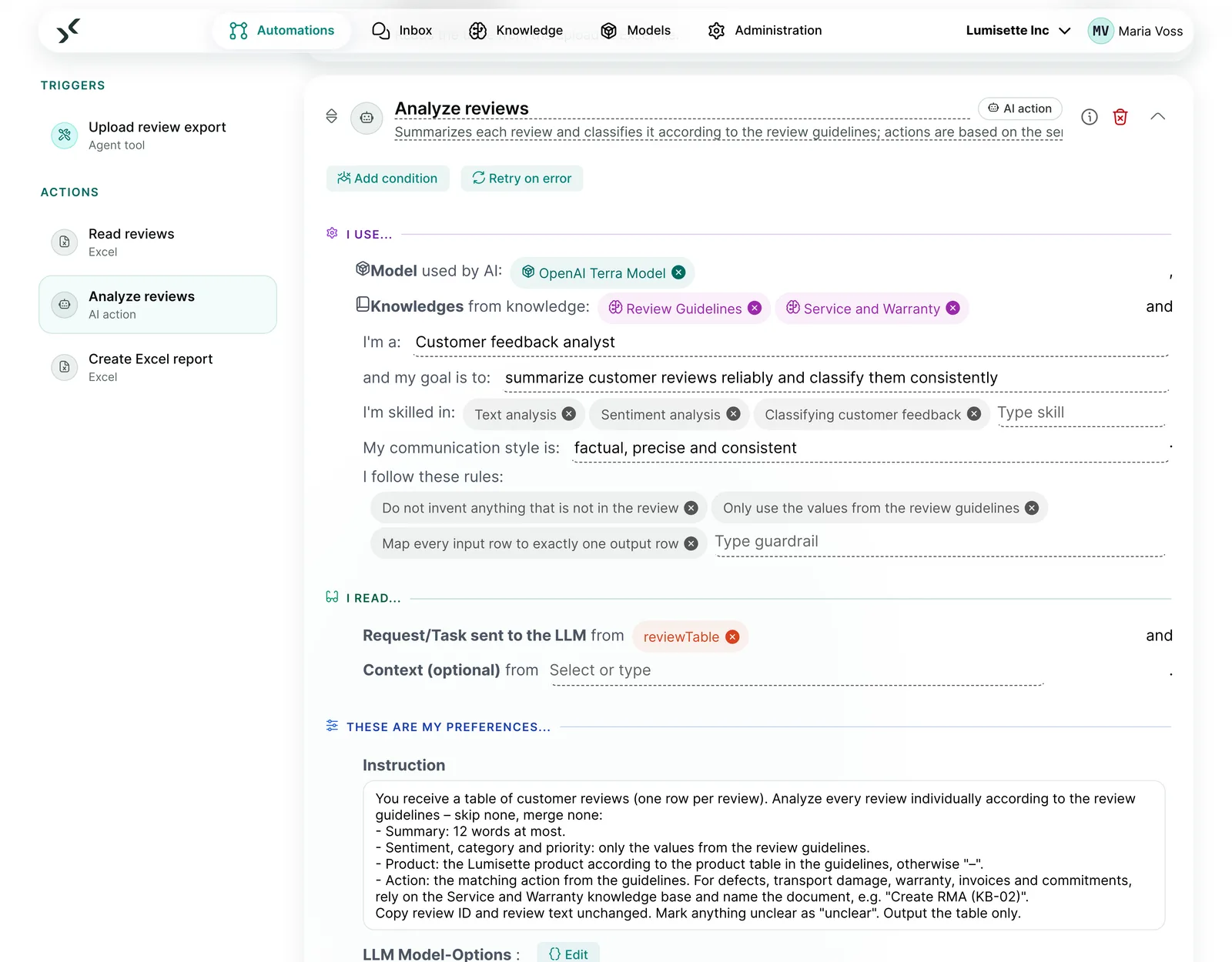
An AI workflow reads every document on arrival, matches the details and passes them on to your system. Unclear cases reach your team via an approval step.
03
Pilot, measure, optimize
We start with one clearly defined document type, measure cycle time and clarification rate, and improve the process step by step until it really works in everyday operations.
Pilot in 6 to 8 weeks from project start.
What it looks like in the AI Kit
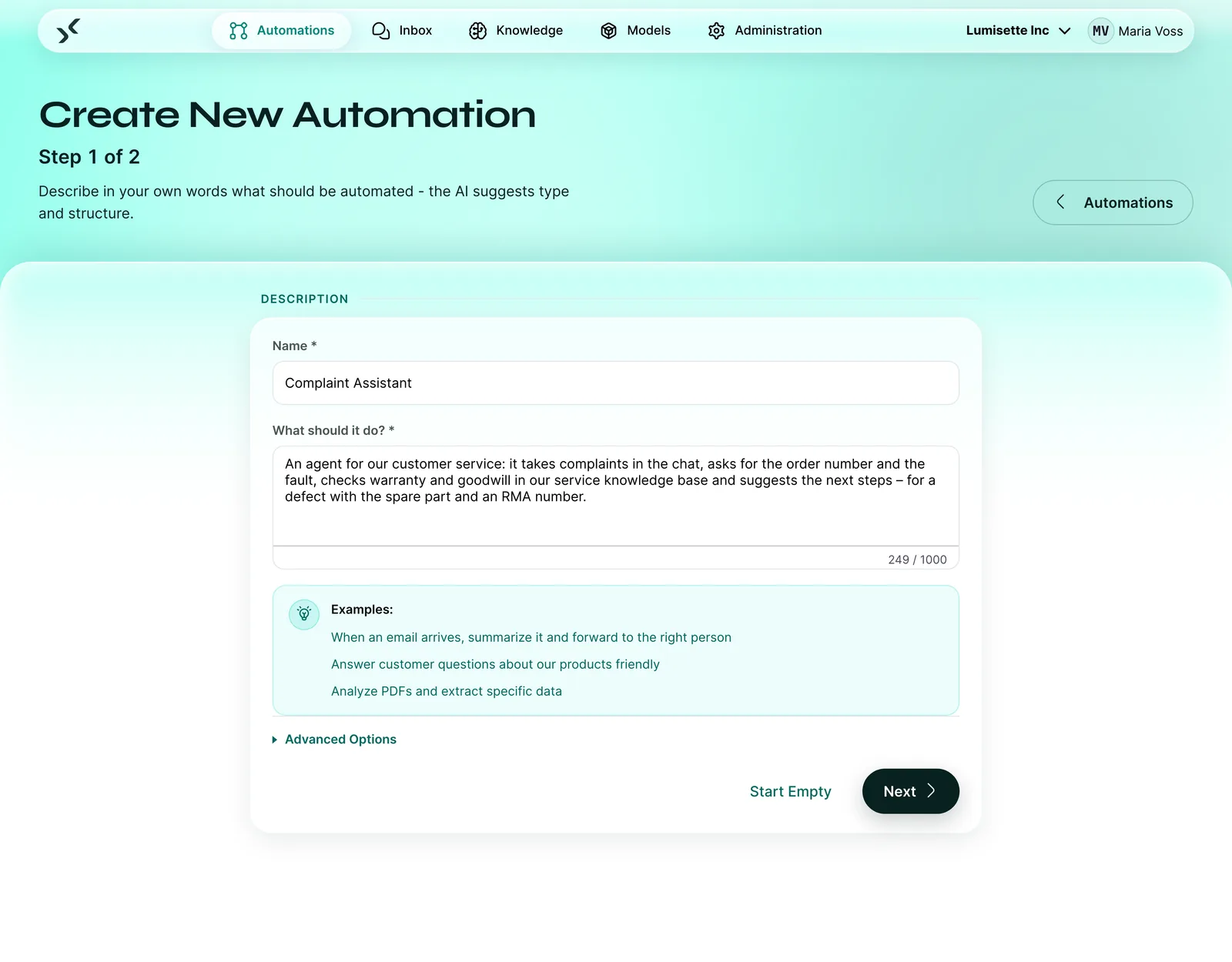
A workflow for your incoming invoices, described in your own words
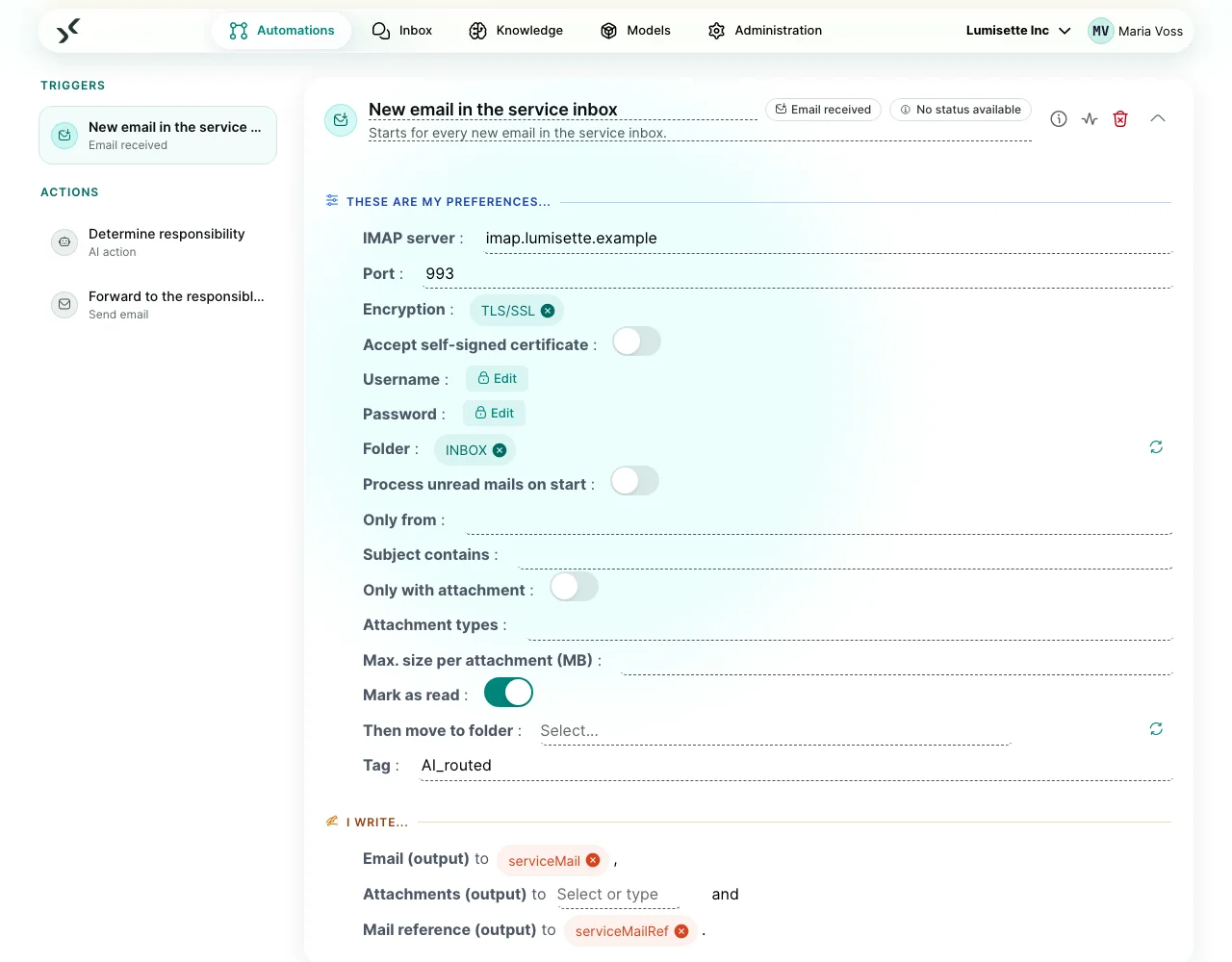
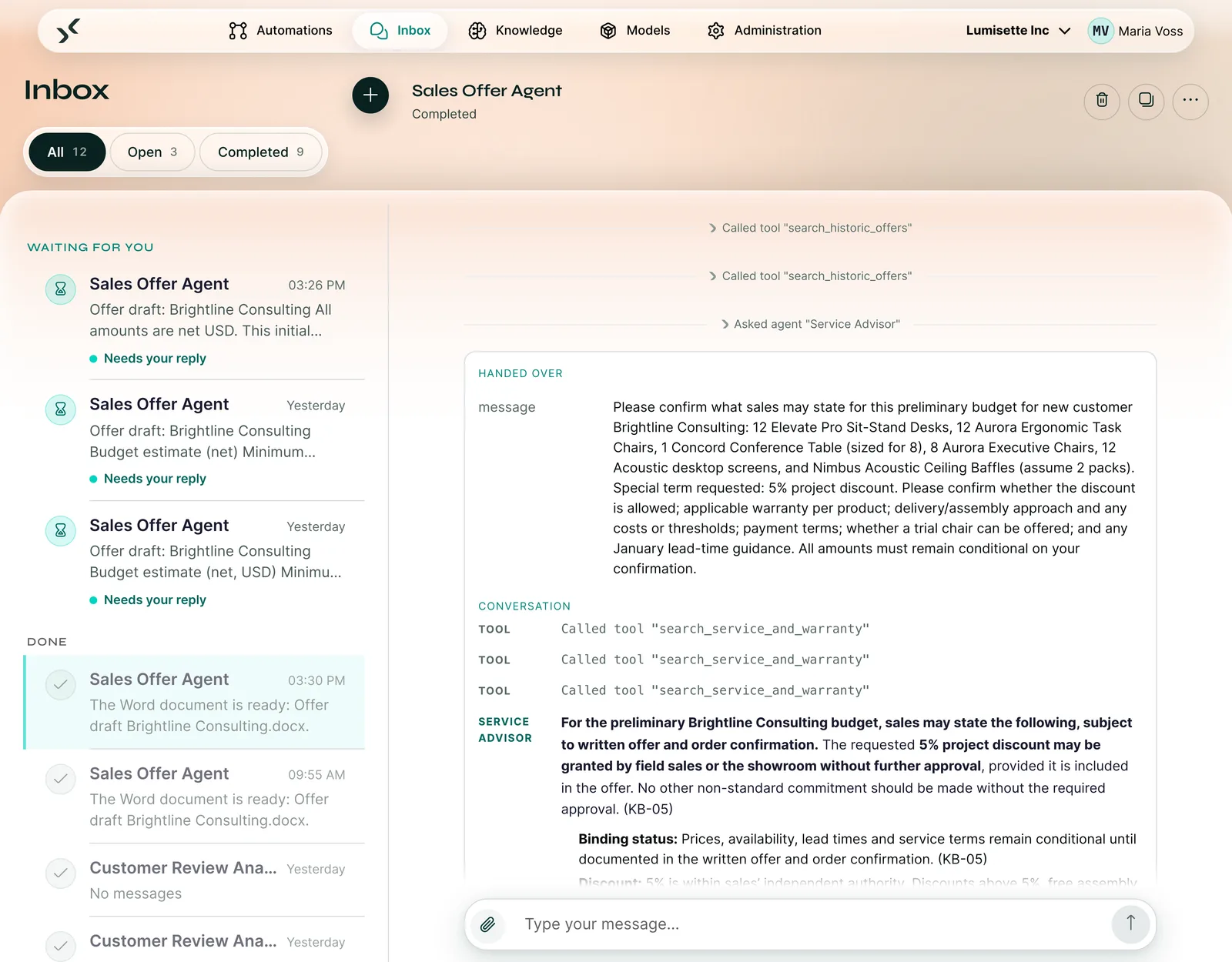
In the schnell.digital AI Kit, the AI platform for mid-sized businesses, you describe what should happen to incoming invoices. This becomes a workflow: it reads every invoice, matches supplier, amounts and purchase order number against the order and puts discrepancies in front of your team for approval. The inbox shows you which cases are waiting for you.
Your description
When an email with an invoice arrives in the invoice mailbox, extract supplier, invoice number, date, amounts and purchase order number. Match the details against the purchase order and send me any discrepancies for approval.
Turned into a workflow: extract, match, discrepancies for approval
Example from insurance
Pre-qualifying claims notifications
In motor insurance alone, around 9 million claims were reported in Germany in 2024, and more than 25 million across property and casualty insurance.[4] Behind every notification are forms, photos, invoices and expert reports. At 60% of the insurers surveyed, 10 to 30% of standard claims are processed automatically today, and 58% want to reach 50 to 100% by 2030.[5]
Your claims handlers make the decision on a claim. Customers want it that way too: 59% do not want AI to give the final approval.[5] That's why the AI Kit prepares, and an approval step ensures nothing goes out unchecked.
The notification arrives
By email, form or upload, with photos, invoices and expert reports attached.
Details are extracted
Policy number, type of claim, date, location and amounts end up in the case as structured data.
Completeness is checked
If documents are missing, a draft request is created that your claims handlers only need to approve.
The case is pre-qualified
Type of claim and urgency determine which team the case goes to. Simple cases are ready for a decision.
Before and after: document processing with the schnell.digital AI Kit
| ❌ Starting point | With the schnell.digital AI Kit | ✓ Result |
|---|---|---|
| Invoices and forms are retyped by hand | The AI model reads documents on arrival and extracts the details as structured data | Data is captured in minutes, transposed digits become rarer |
| Discrepancies are only noticed at payment | Amounts, quantities and purchase order numbers are automatically matched against the order | Clarifications reach the right person immediately, with all the information |
| Documents sit in mailboxes and piles | Every document is classified by type and urgency and forwarded | Nothing gets lost, deadlines stay in view |
| Incomplete claims notifications cause loops of follow-up questions | Missing documents are detected, and a draft request is ready for approval | Cases are ready for a decision sooner |
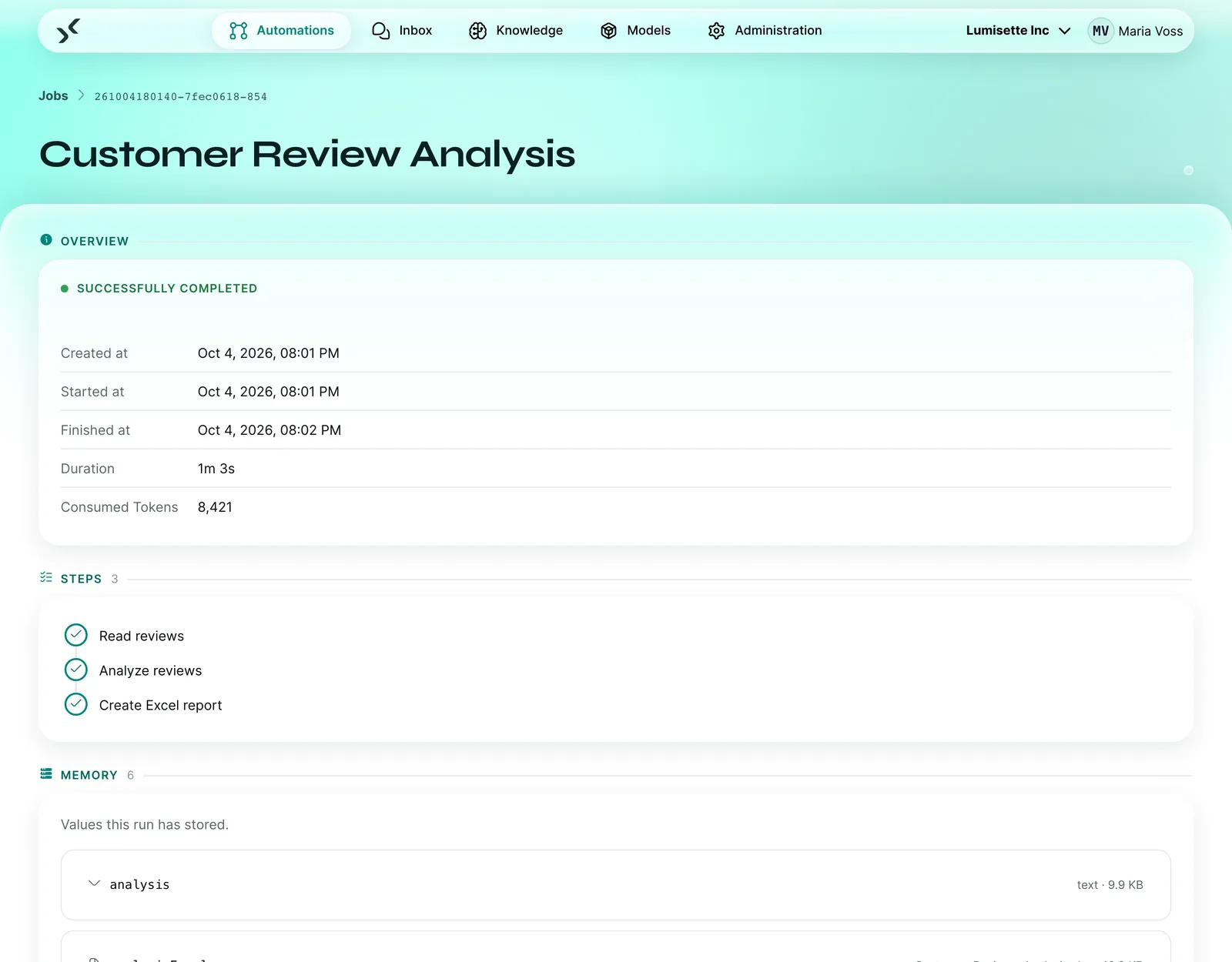
| No overview of what incoming documents really cost | Runs, duration and consumption of every automation in the metrics, a log for each run | You see what's running and optimize based on real figures |
What does it cost you NOT to use the schnell.digital AI Kit?
The real question is:
What does it cost you to keep capturing every document by hand?
Calculate with your own numbers:
Cost of manual data entry
Example calculation with assumptionsCost of manual data entry per year
€54,000
Documents × 12 months × minutes ÷ 60 × hourly rate
That equals around 1,200 working hours per year.
Reference value: according to Billentis, automated invoice processing reduces process costs compared with paper by 60 to 80% in most cases.[6]
All prefilled values are assumptions. Enter your own numbers. 1,500 documents per month, 4 minutes per document and €45 per hour are our own assumptions. Your controlling team knows your hourly rate.
How much of this goes away depends on which of your documents can be captured automatically. That's exactly what we work out in the pilot.
And that's just the data entry.
The underestimated lever: missed early payment discounts
Sample calculation with assumptions:
- €5 million in purchases on invoice per year (assumption)
- 2% discount for payment within 14 days (assumption)
- 30% of invoices miss the discount deadline (assumption)
That's around €30,000 in discounts given away every year.
And why do discount deadlines pass? Because invoices take too long. Or in numbers:
The most efficient companies process an incoming invoice in 2.9 days, all others need 13.5 days on average.[3]
And one more dimension that many underestimate:
Every exception means searching, asking and coordinating.
The result: clarification effort. A sample calculation with assumptions:
- 18,000 incoming invoices per year (assumption)
- 18.4% of them end up as exceptions that need manual clarification.[3]
- 20 minutes of clarification per exception at €45 per working hour (assumption)
That's around €50,000 per year.
around €134,000
per year, using the assumptions of this sample calculation (€54,000 data entry, €30,000 discounts, €50,000 clarification)
Use your own figures. The pattern stays the same: retyping costs you twice, in data entry and in missed deadlines.
These costs are not theory.
Ultimately, they show up in your P&L.
And they grow with every additional document.
This is what your incoming documents could look like with the schnell.digital AI Kit ...
Start of the day
You start your day and the inbox is already sorted. Invoices, delivery notes and forms that arrived overnight have been read, classified and matched against the purchase orders. Your team sees at a glance which cases need a decision. Everything else is already moving.
Incoming invoice
A supplier sends their invoice as a PDF. And you? Don't have to retype anything. Supplier, invoice number, amounts and purchase order number are captured in seconds, the match with the order fits, and the invoice goes straight to approval.
Discrepancy detected
Suddenly the workflow flags something: on one invoice, the quantity differs from the delivery. Before anyone pays, the case is with the responsible colleague, together with the order, delivery note and invoice.
Claims notification
A notification with photos and a cost estimate arrives in the claims department. The details are extracted, only the expert report is still missing. The draft request is already prepared, and the claims handler approves it with one click.
Holiday season
Two colleagues are on holiday. In the past, incoming documents would have piled up for days. Today, the routine keeps running, and the stand-in only handles the cases that really need someone.
Result
And suddenly your incoming documents run smoothly: Less retyping. Fewer clarifications. Fewer missed deadlines. Instead: Clean data. Payments on time. And a team that has time for the important tasks again.
How much money are you losing because you still capture documents by hand?
The 5-minute process check shows you whether your incoming documents hold untapped potential and how AI automation can take work off your team.
Because fast cycle times are no longer a bonus. They decide on discounts, liquidity and the workload of your team.
Free · 5 minutes · No obligation
Prefer to see the AI Kit live right away? Book a demo →