schnell.digital AI Kit

schnell.digital AI Kit · Autumn 2026

Agents that use your workflows. Results as Excel and Word.

The schnell.digital AI Kit is the AI platform for mid-sized businesses. The Autumn 2026 release brings agents that use workflows and other agents, results as real Excel and Word files, and built-in control.

30 minutes on a video call with the AI Kit team. You see a process like yours live, and afterwards we set up a test environment for you.

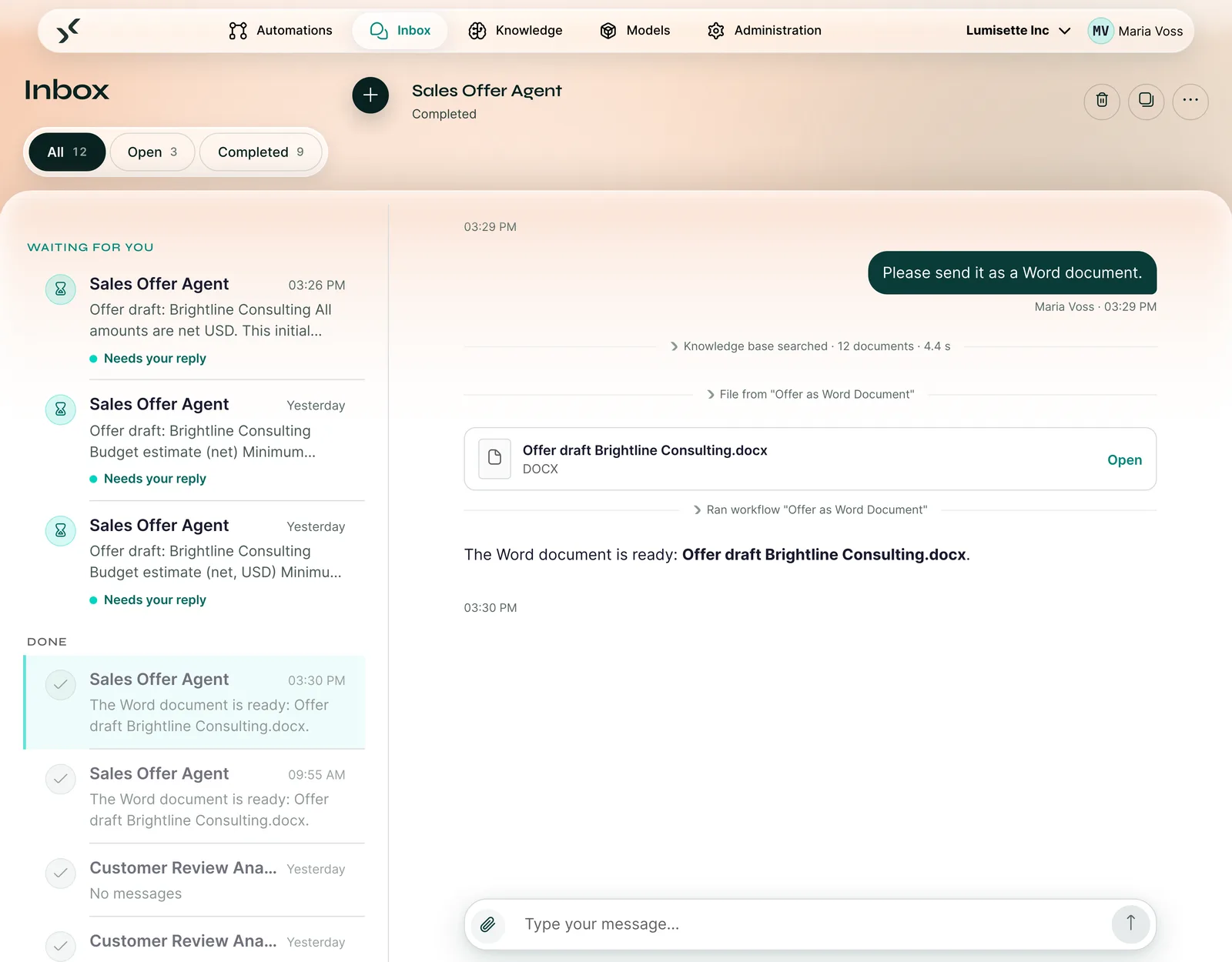
Inbox in the AI Kit: the Sales Offer Agent has placed an offer draft as a Word file in the chat, above it the lines “Knowledge base searched” and “Ran workflow”.

The three big new features

What changes with this release

1 / 3

Agents that use your workflows and other agents

An agent holds the conversation, gets expertise from a second agent and starts finished workflows as tools. You can expand each call in the chat to see what happened.

More on the features page
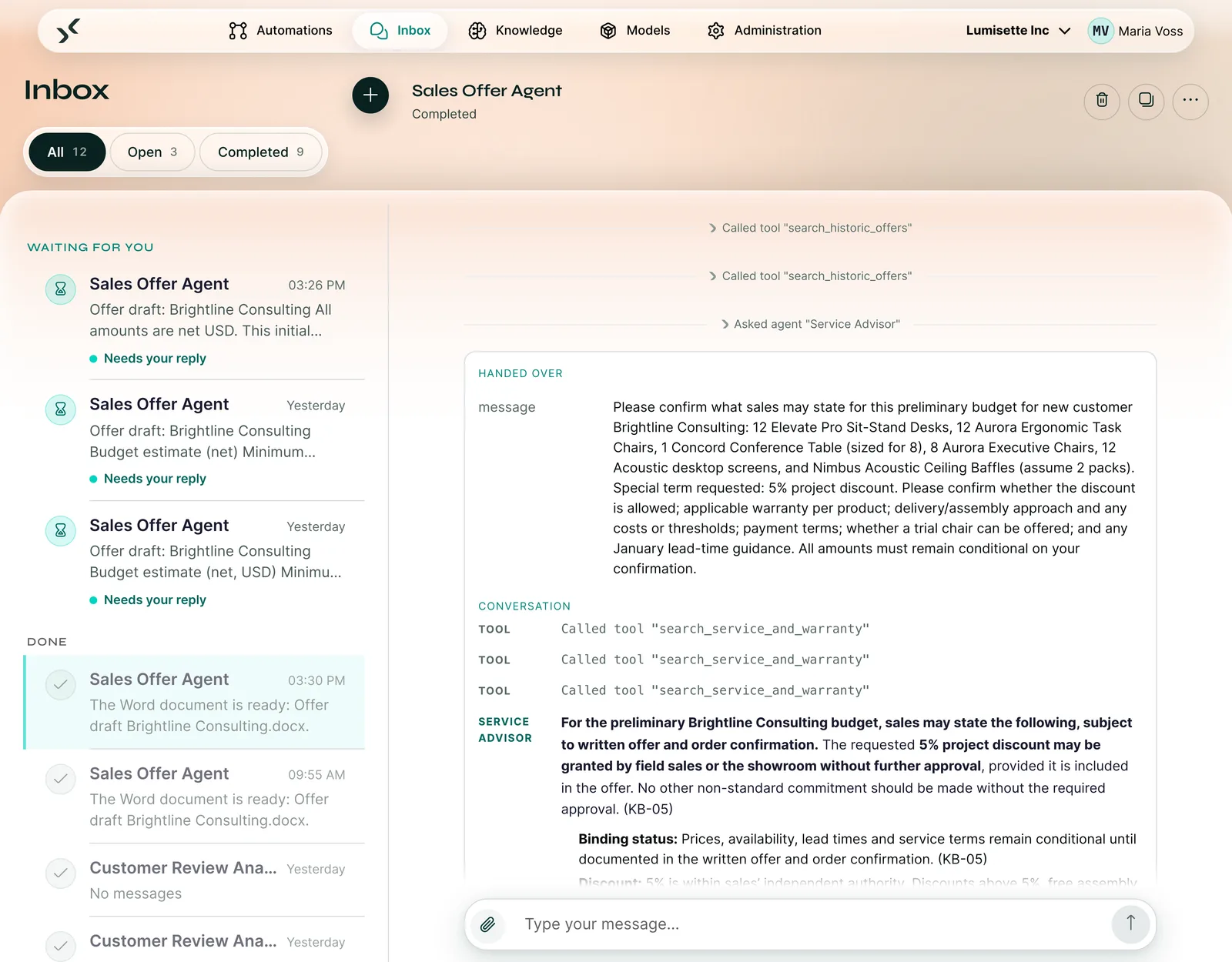

Inbox: the Sales Offer Agent has asked the agent “Service Advisor”. The handover and the reply on discount and warranty are expanded.

2 / 3

AI that delivers Excel and Word

Real Excel files with formulas and formatting, Word documents from your company template, emails sent directly or as drafts in the mailbox. Your team gets the file it works with anyway.

More on the features page
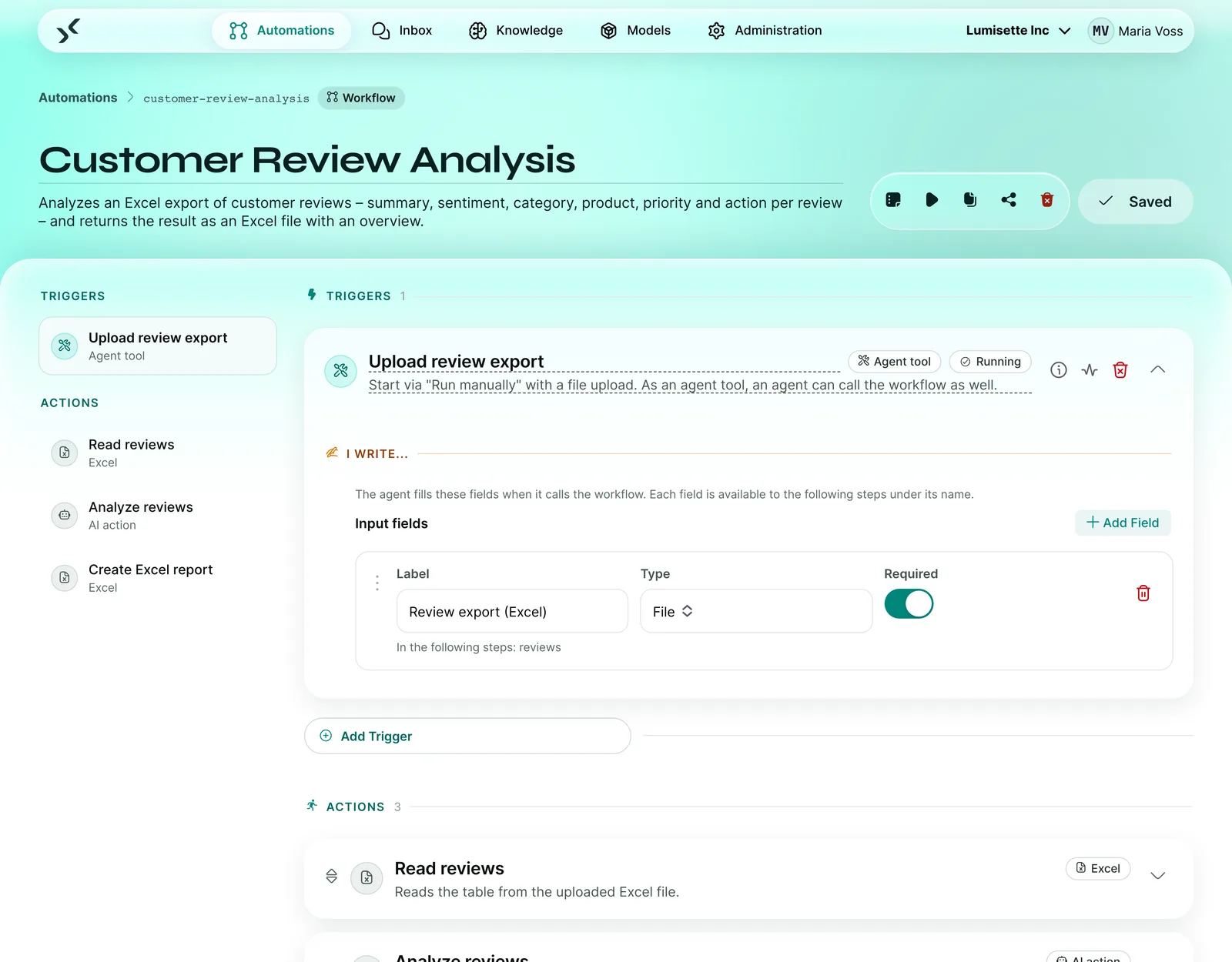
Workflow “Customer Review Analysis”: an Excel export is read in, analyzed by an AI action and returned as an Excel file with an overview.

3 / 3

Control built in

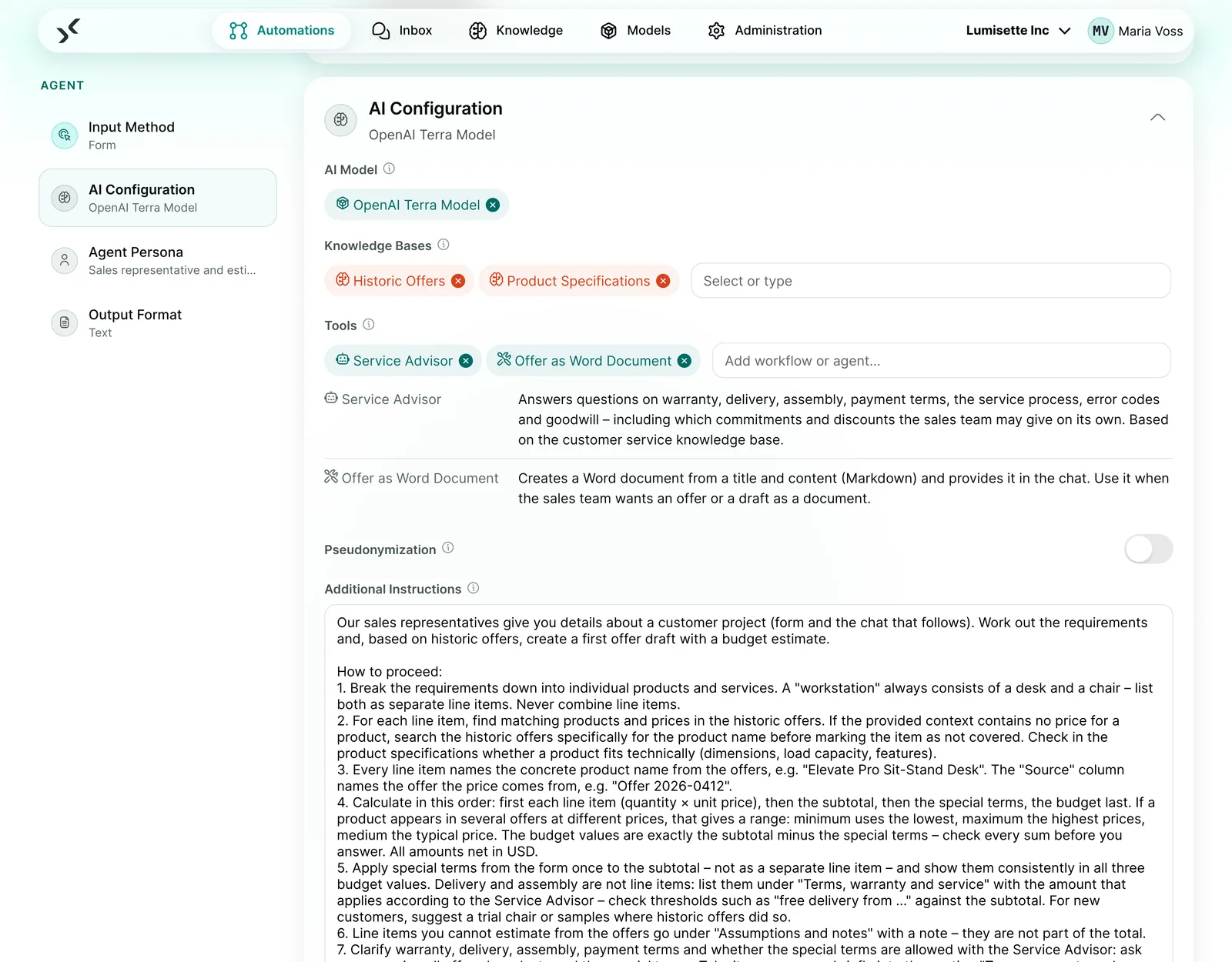
Pseudonymization via a switch on the agent: the model sees placeholders, you see plain text. An approval step with a deadline and escalation lets a person decide where it matters.

More on the features page
AI configuration of an agent with model, knowledge bases, tools and the “Pseudonymization” switch.

Example from the demo environment

One case, all three new features: the Sales Offer Agent

Lumisette Inc is an office furniture manufacturer from our demo environment. This is how an offer draft is created there.

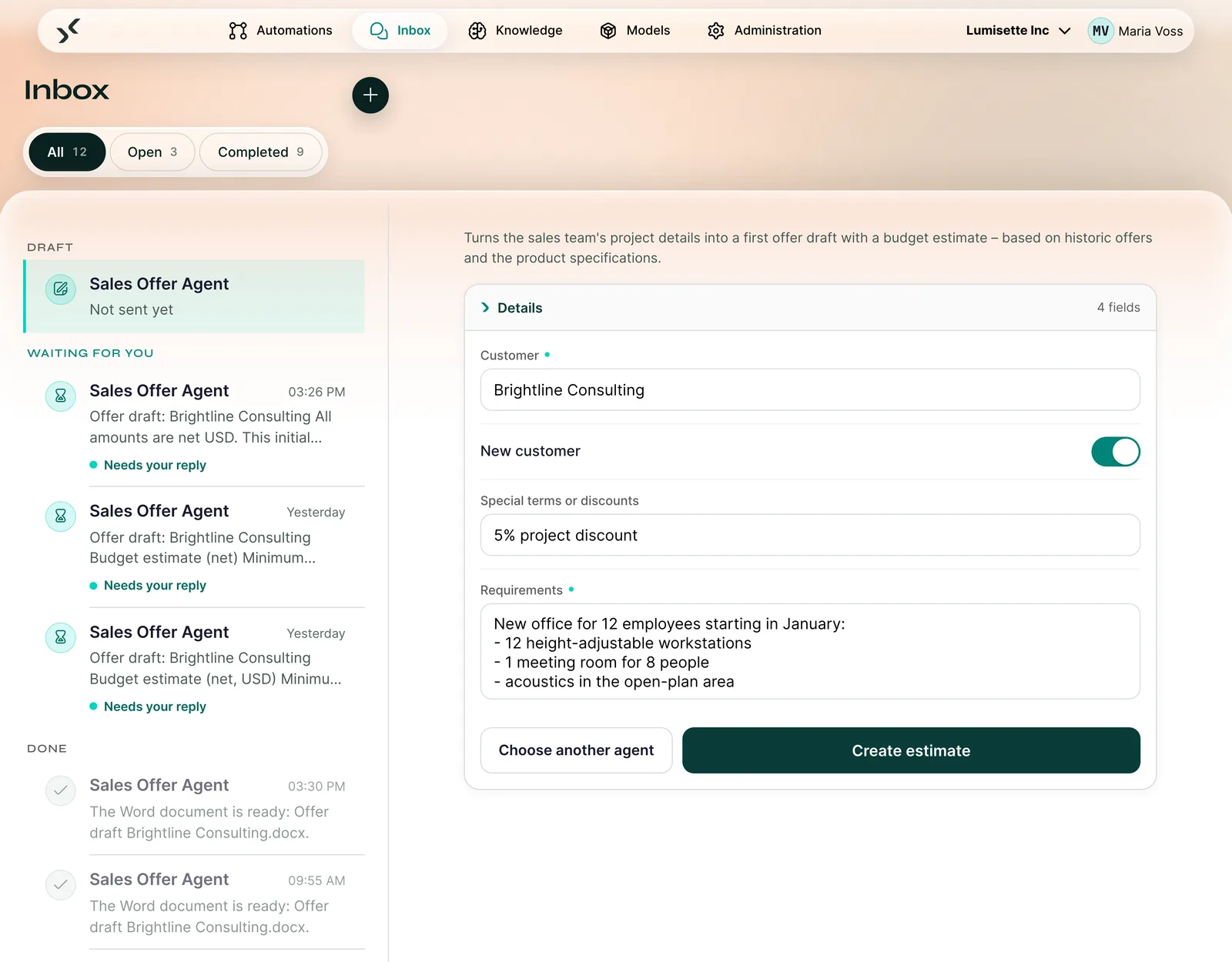
Form of the Sales Offer Agent with customer, new customer switch, special terms and requirements.
1 / 4 · Start with a form

More new features

Everything else, sorted by building block

Instructions

  • New editor with a step sidebar and cards
  • Wizard that recommends a Workflow or an Agent
  • Effort setting with five levels from Low to Ultra
  • Test runs for agents in the editor

Knowledge

  • Database as a live source
  • Updates only for what has changed
  • Sources clickable in the chat

Connections

  • Incoming email with attachments
  • Triggers on changed records in CSV, Excel and XML
  • Database monitoring
  • File storage via WebDAV
  • MCP servers in both directions

Control

  • Audit log with a tamper-evident chain
  • Five roles
  • Allowed recipient domains per workspace

Measurement

  • “Retry from failure”
  • Email notification on failure, waiting state or completion

Operations

  • Sign-in with your company account
  • Second factor via email code
  • Security hardening of the platform

User interface

  • Consistent layout, usable on tablet and smartphone
  • File attachments in the chat
  • Download replies as Word, tables as Excel or CSV

Let's look at your first process

In the demo, we show you the AI Kit on a process similar to yours. You leave with an assessment of whether and how it pays off for you.

30 minutes on a video call with the AI Kit team. You see a process like yours live, and afterwards we set up a test environment for you.
Note

All images are screenshots of a sample tenant.