

Quote preparation in project business: where the time goes
Every line item needs a follow-up question
Quotes over €20,000 take days because someone looks up every line item in old quotes or asks colleagues.
Every quote looks different
Two similar projects get different prices and wording, depending on who writes the quote.
The knowledge sits with a few people
Two or three colleagues know which terms a customer had last time. When they are with a customer or on holiday, the quote waits.
The knowledge sits in heads and old files
Every company has prices, terms and previous calculations. They are spread across Excel lists, quote folders and the memory of individual colleagues. The AI quote assistant accesses these documents and brings them into every draft.
What the assistant takes on
- Take in the request and clarify open points in a dialogue
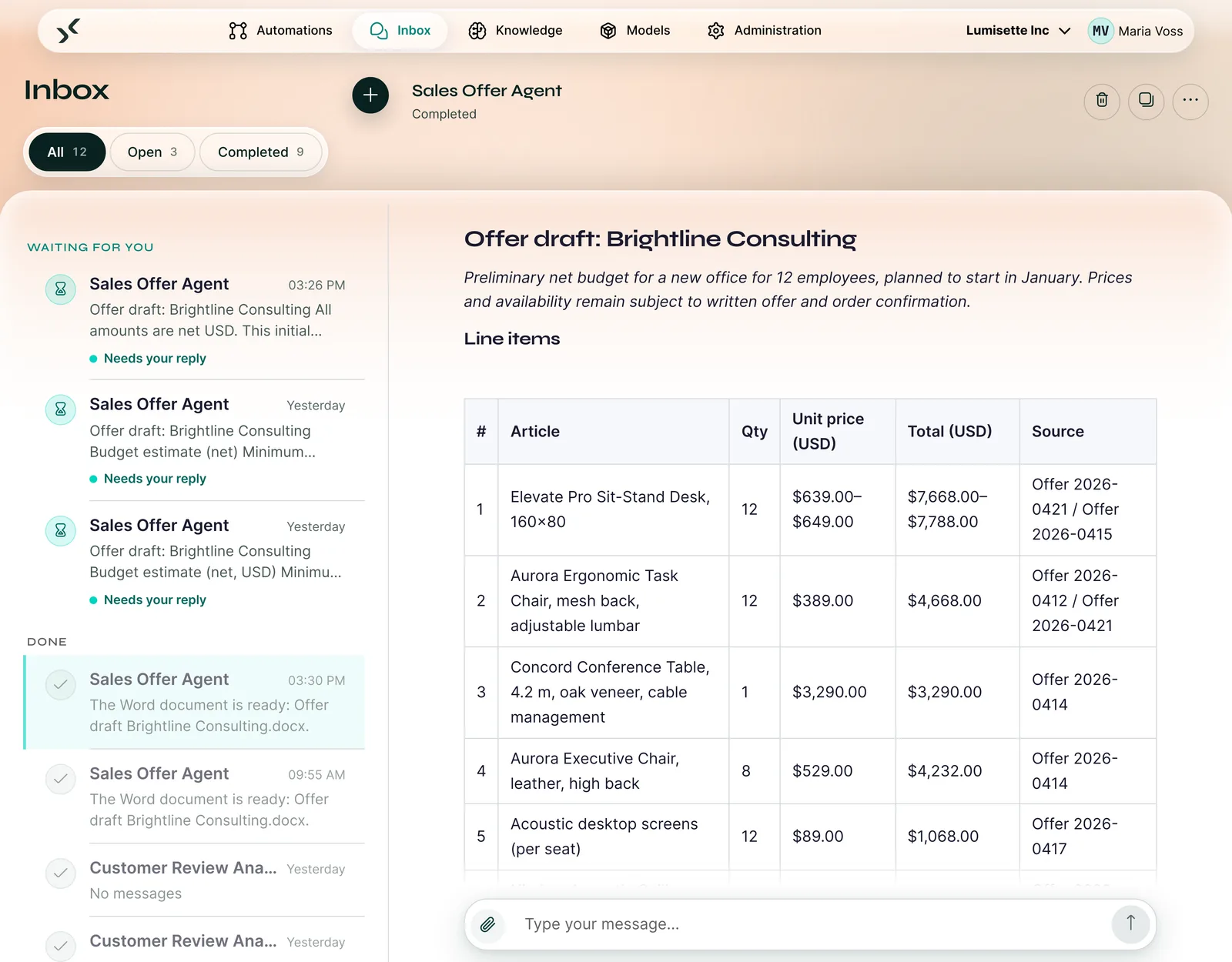
- Compile line items from previous quotes and price lists, each with its source
- Pass technical questions to the service advisor and save the draft as a Word file in your template
What stays with you
- Review and complete the draft
- Negotiate prices and approve the quote
- Send the quote to the customer
How the AI quote assistant works in the AI Kit
An example: a request for office furniture becomes a quote draft.
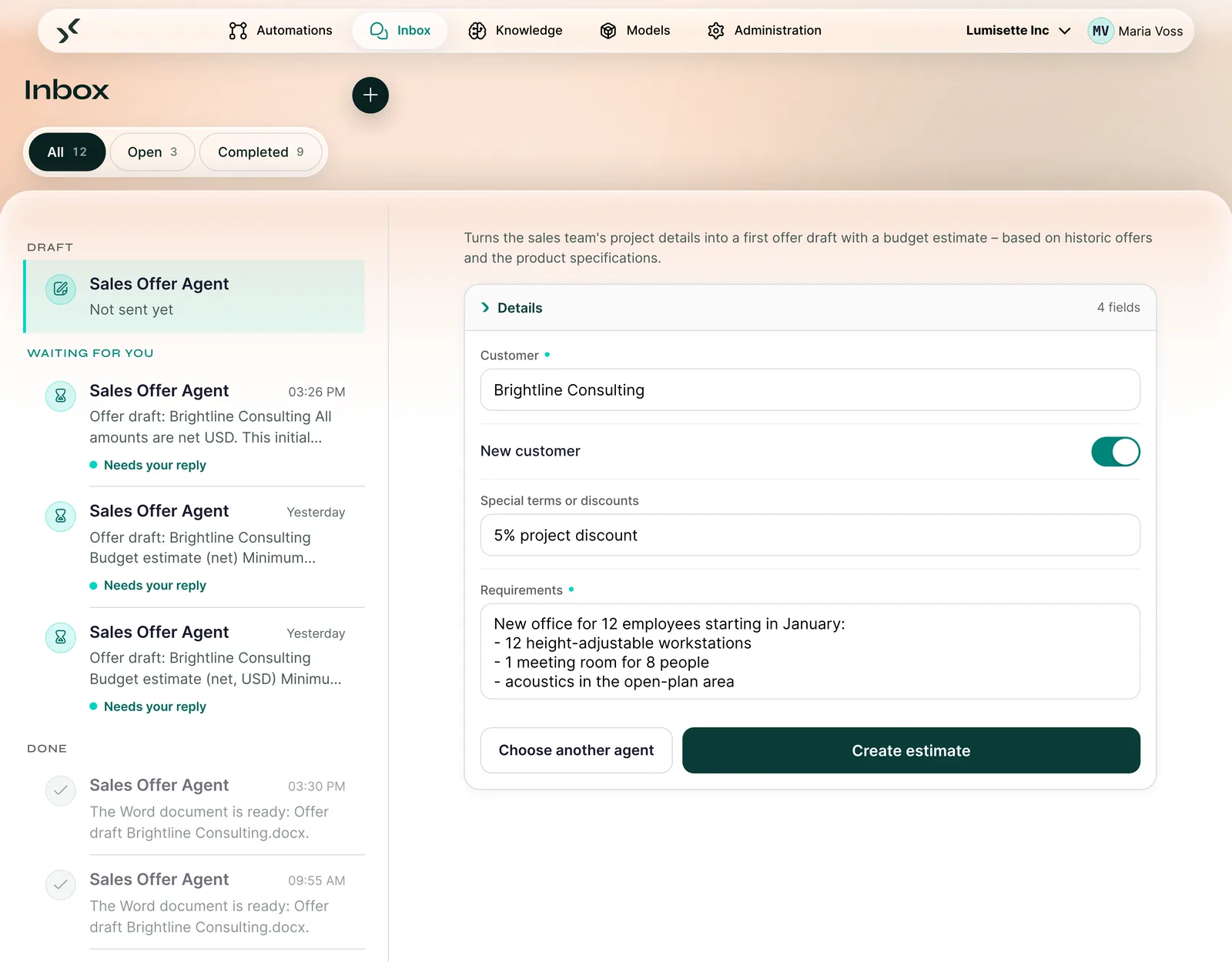
The screenshots show the fictional company Lumisette.
More about the schnell.digital AI KitThe schnell.digital AI Kit on video
The overview shows the schnell.digital AI Kit, the platform behind the AI quote assistant. The video is in German.
All about the autumn release 2026Quote preparation before and after
| Today | With the AI quote assistant |
|---|---|
| Prices and line items are searched for in old quotes and Excel lists | The draft contains the line items with sources from previous quotes and price lists |
| Colleagues are asked about warranty and delivery | The service advisor answers technical questions with a reference to the document |
| Structure and wording depend on who writes | Every draft follows your rules and your Word template |
| When a colleague is on holiday, the quote waits | The knowledge sits centrally in the AI Kit and stays in the company |
For IT and management
What you will want to check before starting
IT checks operation and data protection, management checks cost and dependency. These points apply to all three assistants.
- Operation in Germany or on your premisesData centre in Germany or your servers, DPA included
- Free choice of modelOpenAI, Anthropic, Mistral or local, switchable at any time
- Your own API keyYou pay model costs directly to the provider, without mark-up
- Roles and loggingRoles control access, every run is logged
- Pseudonymisation per agentNames and contact details are replaced before the model is called
As an implementation package
Introduce the AI quote assistant with us
We implement the assistant with you in the AI Kit, store your past quotes and price lists and train your sales team. Acceptance takes place on five real cases from your daily business.
During the package we issue the AI Kit licence free of charge. The paid term starts with acceptance.
- Implementation from
- €9,500 net
- of support with monthly review sessions
- 3 months
- participants from the departments
- up to 6
- real cases from your daily work for acceptance
- 5 cases
- payment on order and on acceptance
- 50 / 50
From the intro call to a running assistant
- 1
Intro call (free)
30 minutes by video: we clarify whether one of the three assistants fits your workflows. If you want to check for yourself first, start with the 5-minute process check.
- 2
Demo (free)
We show you the matching assistant live and answer your questions. A demo licence to try it out is available on request.
- 3
Implementation with acceptance
We implement the assistant with you in the AI Kit, train the team and support you for three months. Acceptance takes place on five real cases. If the use case is still open, you start with AI Orientation or AI Roadmap.
- 4
Licence and daily use
The paid licence starts with acceptance. After that your team works with the assistant, and you expand to further tasks.
Questions about the AI quote assistant
Which documents does the AI quote assistant need?
Previous quotes, price lists and product data sheets as files, for example PDF, Word or Excel. In the implementation package we store them in the AI Kit together with you.
Does the assistant invent prices?
It is set up to take prices only from your documents and to name the source for every line item. If a price is missing, it asks. Every draft is reviewed and approved by your sales team.
Does this work with our ERP system?
In the implementation package the assistant works with stored documents such as previous quotes and price lists. Quotes directly from catalogue, pricing logic and customer history in the ERP are a separate project with a separate offer.
In which format is the quote created?
As a Word file in your company template with letterhead. Your sales team edits it further and sends it as usual.
Is the assistant suitable if requests arrive as drawings?
Rather not. The assistant reads text and tables, it does not analyse images and drawings. In the intro call we clarify whether your requests fit.
What does implementation cost?
Implementation starts at €9,500 net. The implementation package includes three months of support, training and acceptance on five real cases. During the package we issue the AI Kit licence free of charge. After that the cloud licence starts at €349 per month.
See the AI quote assistant in action
Bring a typical request. We show you the way from the request to the draft.
30 minutes on a video call with the AI Kit team. You see the matching assistant live and ask your questions. A free demo licence is available on request.
Prefer to check for yourself first? Start the process check (5 minutes)